Setting up Google Home with Android TV: A Step-by-Step Guide
Are you looking to unlock the full potential of your Google Home and Android TV? With this guide, you'll learn how to seamlessly integrate these two devices for a hassle-free and entertaining experience. From setting up the Google Home app to linking your TV and streamlining your home automation, we've got you covered.
What You'll Need to Get Started
Before we dive into the setup process, make sure you have the following minimum requirements:
- Eligible TV that supports Google services (check your TV's compatibility list)
- Secure Wi-Fi network
- Android or iOS device to link your TV and Google Home
Step 1: Check Compatibility and Download the Google Home App
Ensure your TV is compatible with Google Home by checking the official website. Then, download the Google Home app on your Android or iOS device. This app will guide you through the setup process and help you link your TV to Google Home.
Step 2: Connect Your TV and Google Home to the Same Wi-Fi Network
Make sure both your TV and Google Home device are connected to the same Wi-Fi network. This will enable seamless communication between the two devices. If you're using a Google Home speaker or display, ensure it's powered on and set to the factory default settings.
Step 3: Add Your TV to the Google Home App
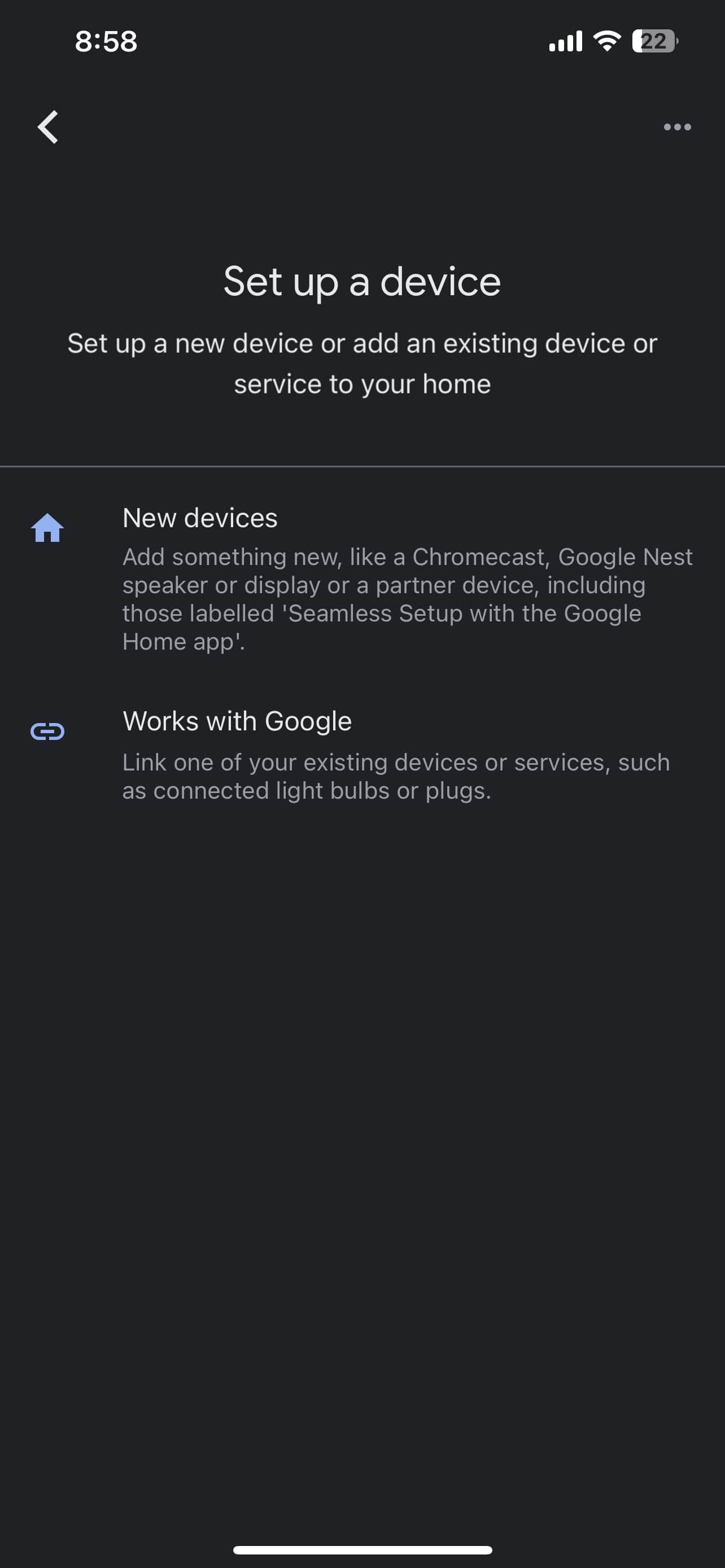
Open the Google Home app on your device and tap on the "Add" button. Select "Set up device" and choose or add a "home" device. Tap on "Scan code" and allow the app to use your phone's camera. Scan the QR code on your TV screen. It may take a few minutes for your phone and TV to connect.

Step 4: Configure Voice Commands and Linked Devices
Once your TV is linked to Google Home, you'll need to configure voice commands and linked devices. In the Google Home app, go to the "Settings" menu and select "Linked devices." Here, you can link your TV to other supported devices, such as Chromecast-enabled apps or Nest devices.
Step 5: Optimize Your Home Automation Experience
With your TV linked to Google Home, you can now optimize your home automation experience. In the Google Home app, go to the "Settings" menu and select "Routines." Here, you can create custom routines that control multiple devices with a simple voice command. You can also enable features like Guest Mode, which allows guests to use your Google Home device without compromising your personal settings.
Common Issues and Troubleshooting Tips
Don't worry if you encounter any issues during the setup process or later on. Here are some common problems and troubleshooting tips to get you back on track:
- Connectivity issues: Ensure your TV and Google Home device are connected to the same Wi-Fi network. Try restarting your router and devices before attempting to link them again.
- Firmware updates: Check if your TV or Google Home device requires a firmware update. Follow the manufacturer's instructions to update the firmware.
Conclusion
Setting up Google Home with Android TV is a straightforward process that unlocks a world of enhanced entertainment and home automation. By following this step-by-step guide, you'll be able to seamlessly integrate your TV and Google Home device, streamlining your home experience and making it more enjoyable. Happy setting up and enjoy your Google Home and Android TV experience!