Secure Social Media Accounts: Protecting Your Online Presence
In today's digital age, social media has become an integral part of our lives, connecting us with friends, family, and like-minded individuals worldwide. However, with great connectivity comes great responsibility, and keeping your social media accounts secure is crucial to preventing identity theft, cyber attacks, and online harassment. In this article, we'll delve into the world of secure social media accounts, providing you with expert-approved tips and best practices to safeguard your online presence. By the end of this article, you'll be equipped with the knowledge to strengthen your social media accounts and protect yourself from common online threats.The Risks of Unsecured Social Media Accounts
Before we dive into the solutions, it's essential to understand the risks associated with unsecured social media accounts. When your accounts are vulnerable, you're at risk of:- Identity theft: Hackers can gain access to your personal information, including passwords, email addresses, and credit card numbers.
- Cyber attacks: Unsecured accounts can be compromised by hackers, allowing them to spread malware, viruses, and ransomware.
- Online harassment: Your accounts can be used to spread hate speech, harassment, or abuse, damaging your reputation and personal relationships.
- Data breaches: Unsecured accounts can be compromised, resulting in the unauthorized access and misuse of sensitive information.
Best Practices for Secure Social Media Accounts
To protect your social media accounts, follow these expert-approved best practices:1. Use Strong and Unique Passwords
A strong password is the foundation of secure social media accounts. Use a combination of uppercase and lowercase letters, numbers, and symbols to create a password that's at least 12 characters long. Avoid using the same password for multiple accounts, and consider using a password manager to generate and store unique passwords for each account.
2. Enable Two-Factor Authentication (2FA)
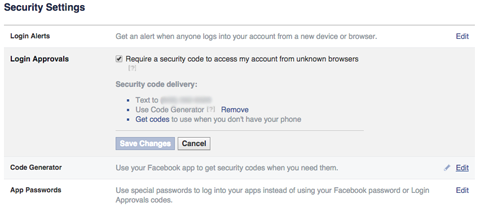
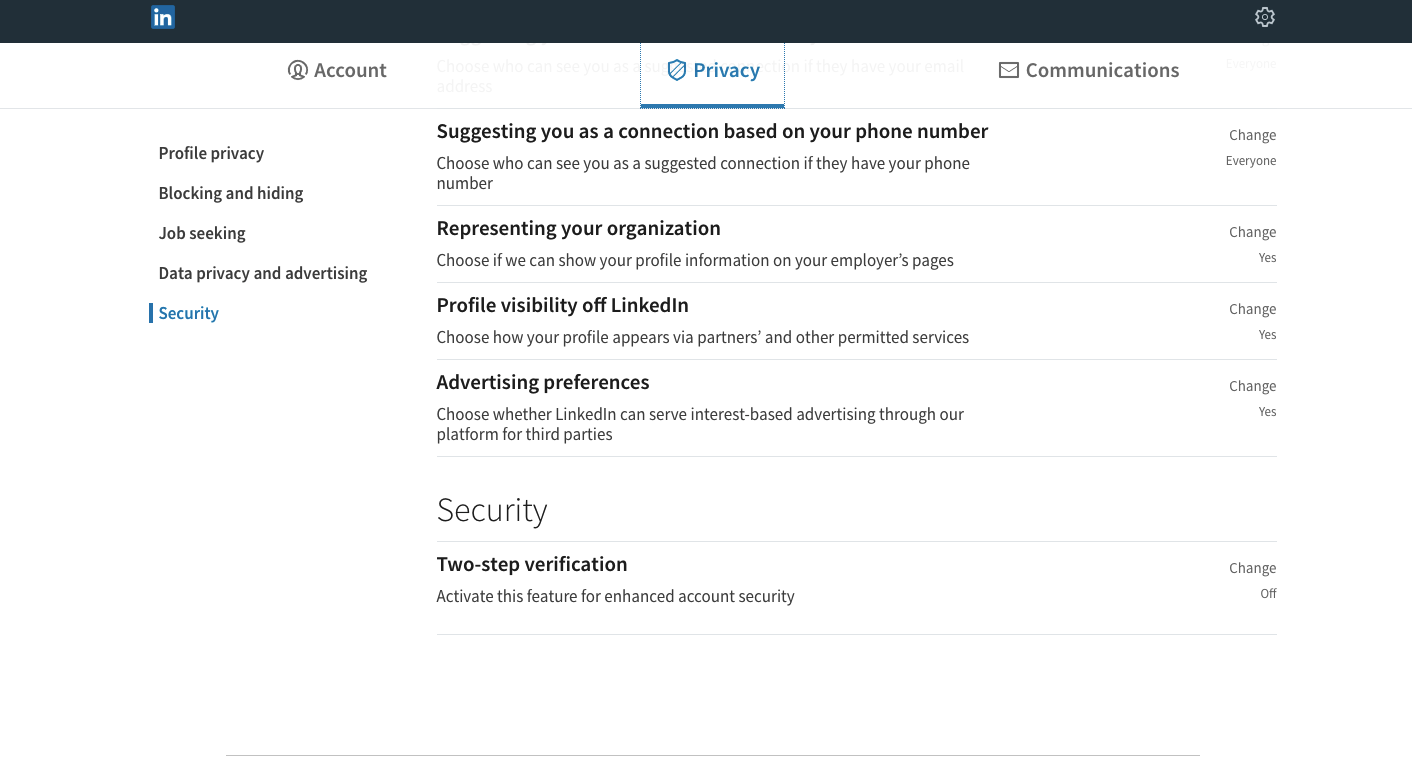
Two-factor authentication (2FA) adds an extra layer of security to your social media accounts. This requires you to provide a second form of verification, such as a code sent to your phone or a biometric scan, in addition to your password. Enable 2FA for all social media accounts, including Facebook, Twitter, Instagram, and LinkedIn.
3. Monitor Account Activity
Regularly monitor your social media account activity to detect any suspicious behavior or unauthorized access. Check your account's login history, and report any unusual activity to the platform's support team.
4. Keep Your Accounts Updated

Keep your social media accounts updated with the latest security patches and software updates. This ensures you have the most secure version of the platform and protects against known vulnerabilities.
5. Be Cautious with Public Computers and Wireless Connections
Be mindful of the devices and networks you use to access your social media accounts. Avoid using public computers or unsecured wireless connections, as these can compromise your account security.
6. Use Secure Networks
Use a VPN (Virtual Private Network) when accessing public Wi-Fi networks to encrypt your internet traffic and protect your account activity from eavesdropping.
7. Regularly Review Account Settings
Regularly review your social media account settings to ensure you're not inadvertently sharing sensitive information or making your accounts more vulnerable to hacking.
Additional Tips for Secure Social Media Accounts
In addition to the best practices outlined above, consider the following tips to enhance your social media account security:- Limit the amount of personal information you share on social media.
- Use social media account recovery tools, such as Facebook's Account Recover Hub, to help protect your accounts.
- Monitor social media for phishing scams and report suspicious activity to the platform's support team.
- Use secure social media apps, such as Twitter's authenticator app, to protect your account activity.
- Regularly log out of social media accounts when not in use, especially on public computers or unsecured networks.