Secure Your Router with WPA2: A Step-by-Step Guide
In today's digital age, securing your home network is more important than ever. With the rise of smart devices and online connectivity, your router is the gateway to your personal data and online activities. One of the most effective ways to protect your network is by configuring your router to use WPA2 or WPA3, the latest Wi-Fi security protocols. In this article, we will guide you through the process of securing your router with WPA2.
What is WPA2?
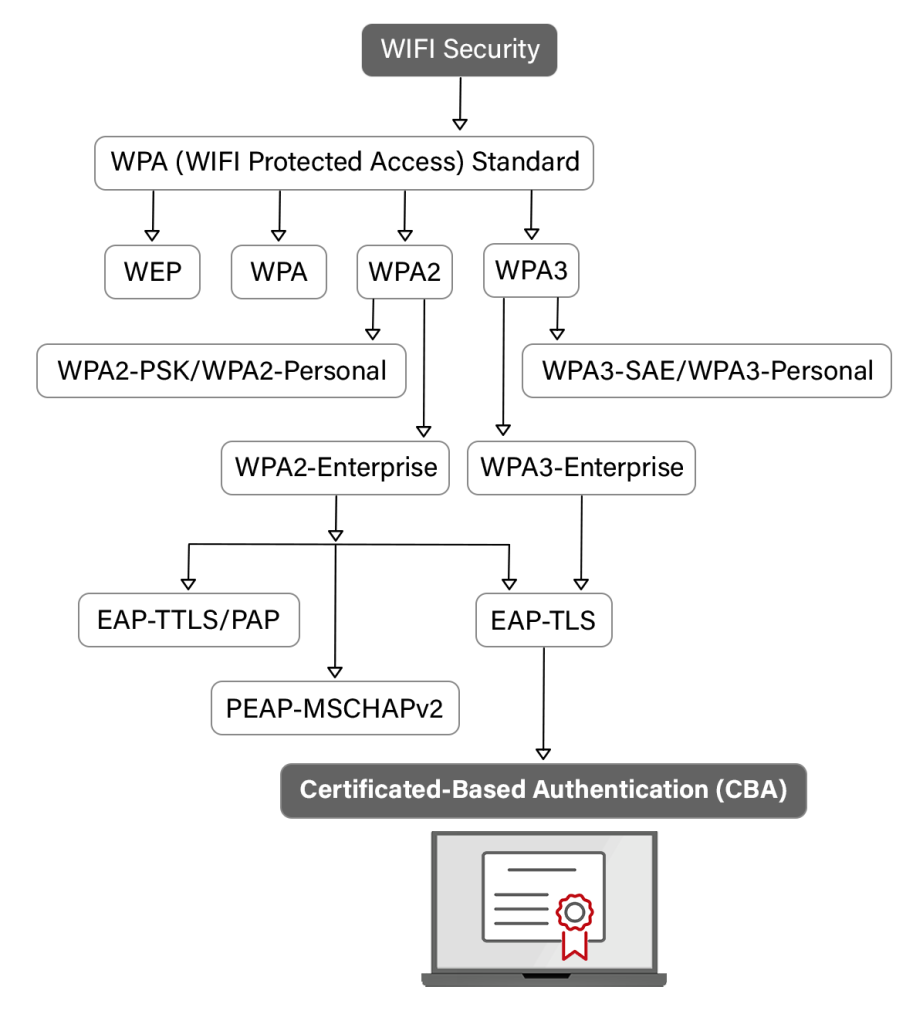
WPA2 stands for Wireless Protected Access 2, and it is the second version of the WPA security protocol. This protocol is responsible for encrypting the data that passes through the router. When you connect a device to a WPA2 network, all data transmissions between the device and the router will use the encryption options dictated by the WPA2 security protocol.
Why Switch to WPA2 Encryption?
WPA2 is the strongest encryption standard available for home networks, offering enhanced security against unauthorized access. It protects data by locking down wireless traffic so others can't easily see what's being sent across the network. Selecting a Wi-Fi router with the latest security protocols and keeping your home network locked down are essential to preventing you from inadvertently helping a major cybercrime network.
Configuring Your Router for WPA2 Encryption
To configure your router for WPA2 encryption, follow these step-by-step instructions:
- Open your router's settings page by typing its IP address in a web browser. The default IP address is usually 192.168.0.1 or 192.168.1.1.
- Log in to your router using the admin username and password. You can find these details in your router's manual or on the manufacturer's website.
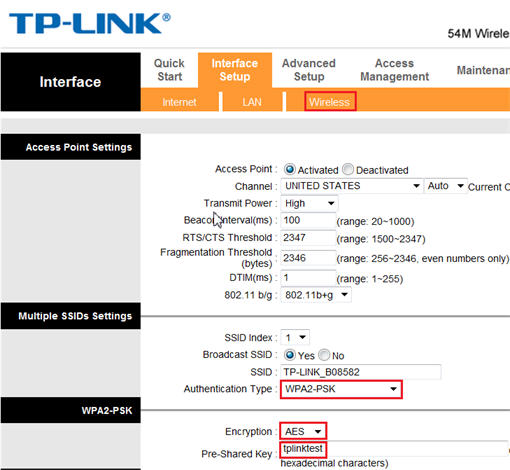
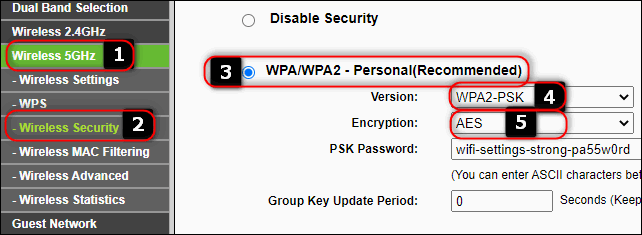
- Click on the Wireless Settings or Wireless Security tab.
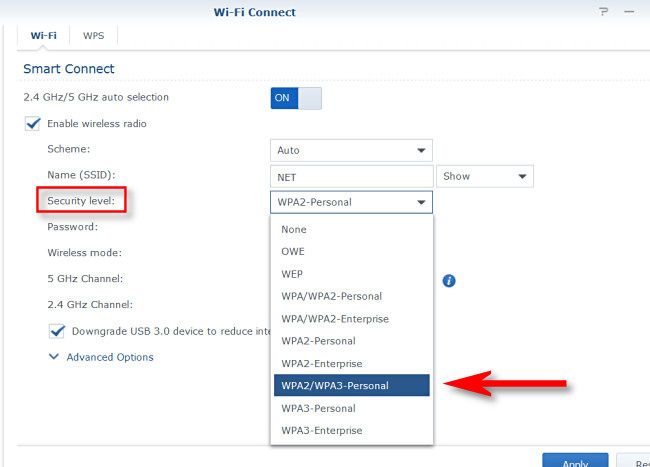
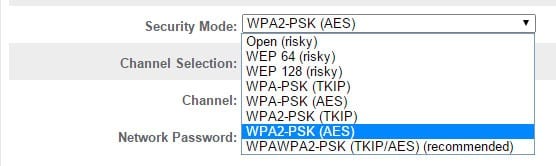
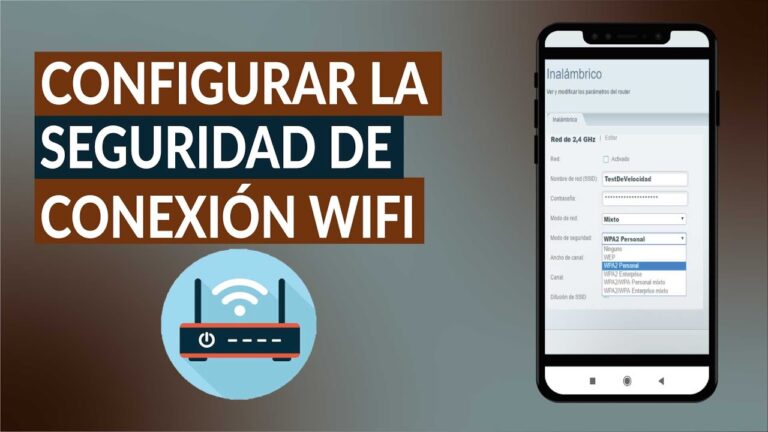
- Change the Wireless Network Mode to WPA2-PSK (WPA2 Personal) or WPA2-AES (WPA2 with AES encryption).
- Enter a strong and unique password for your wireless network. Avoid using easily guessable information such as your name, birthdate, or common words.
- Save your changes and apply them to your router. Your router will likely need to restart.
- Once your router is back online, all devices connecting to your network will use WPA2 with AES encryption.

Tips to Enhance Your Home Wi-Fi Network's Security
Here are some additional tips to enhance your home Wi-Fi network's security:
- Enable WPA2 encryption on your router.
- Use a strong and unique password for your wireless network.
- Set up a guest network to isolate visitors from your main network.
- Disable remote management to prevent hackers from accessing your router remotely.
- Disable WPS setup to prevent hackers from connecting to your network using the WPS feature.
- Disable UPnP to prevent hackers from exploiting vulnerabilities in your router.
- Put your router in a secure physical location to prevent tampering.
- Create a guest Wi-Fi network to isolate visitors from your main network.
- Do not use your router's default settings, as they are often easily guessable.
- Include personal information in your Wi-Fi name to make it harder for hackers to guess your password.
Why WPA2 is Essential for Your Home Network
WPA2 is the most secure option for your home network, and it is the default setting for most Wi-Fi access points. It provides robust encryption and authentication, making it difficult for hackers to access your network. WPA2 is also backward compatible with older devices, making it a great option for homes with a mix of old and new devices.
Conclusion
Securing your router with WPA2 is a crucial step in protecting your home network from hackers and cyber threats. By following the step-by-step guide outlined in this article, you can configure your router to use WPA2 encryption and enhance your home Wi-Fi network's security. Remember to also follow the additional tips outlined in this article to further secure your network.




![[Wireless Router] What is WPA3? What are the advantages of using WPA3?](https://tecnobits.com/wp-content/uploads/2025/11/16301386_2-jpg-1024x647.webp "[Wireless Router] What is WPA3? What are the advantages of using WPA3?")