Can I Retrieve Deleted Text Messages?
The Eternal Question of Text Message Recovery
Are you wondering if it's possible to retrieve deleted text messages on your iPhone or Android device? Well, you're not alone in this quest. Lost text messages can be frustrating, especially if they contain vital information or sentimental value. Fortunately, there are several methods to retrieve deleted text messages, and we'll break them down for you in this article.
Recovering Deleted Text Messages on iPhone
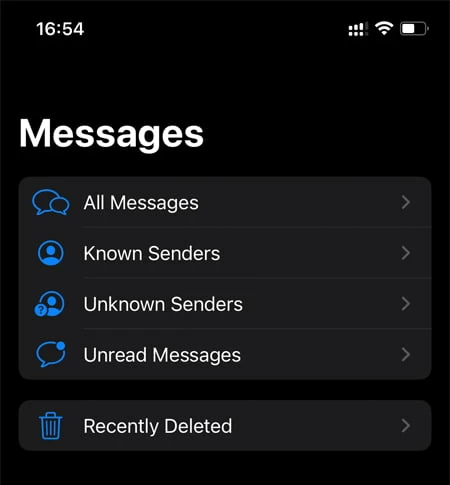
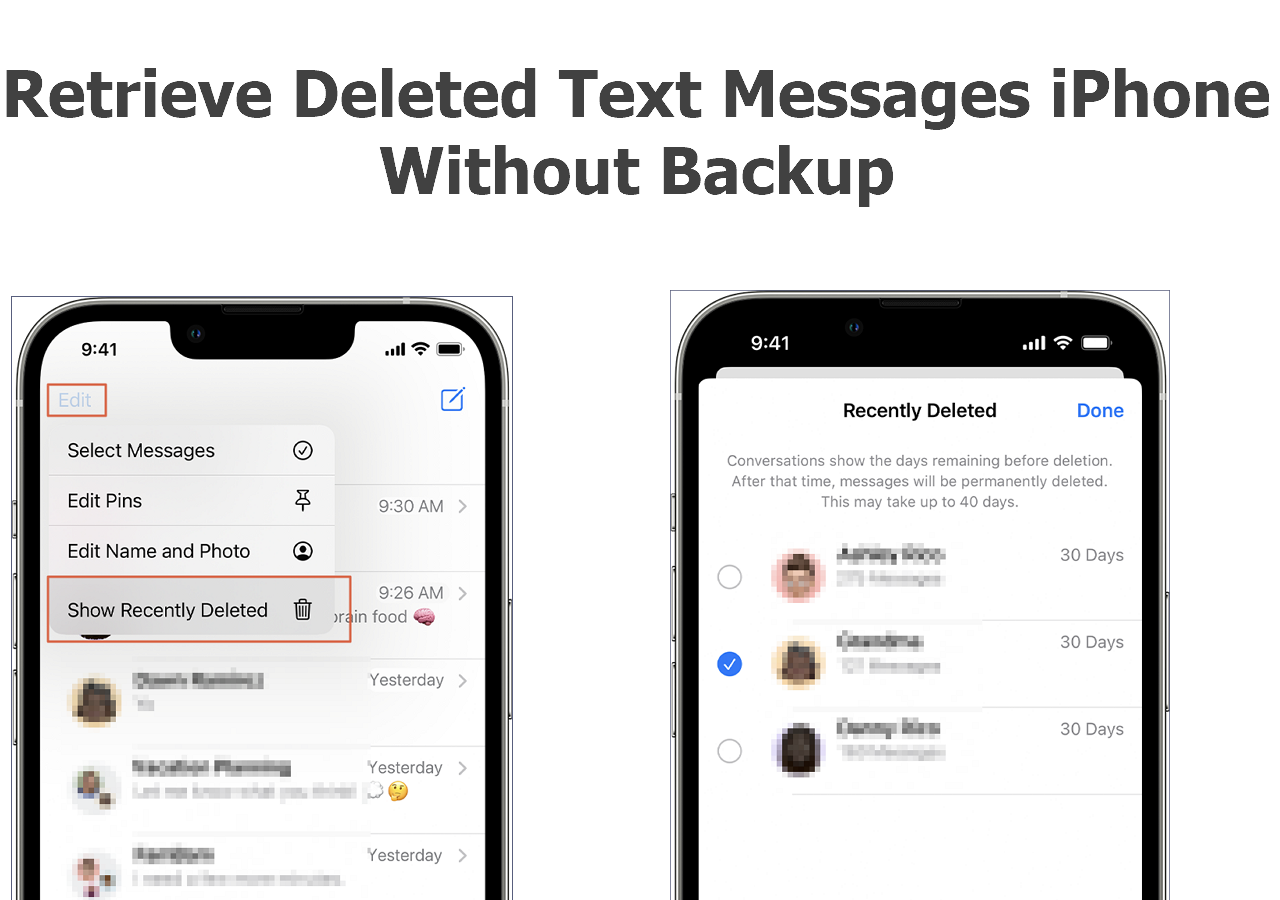
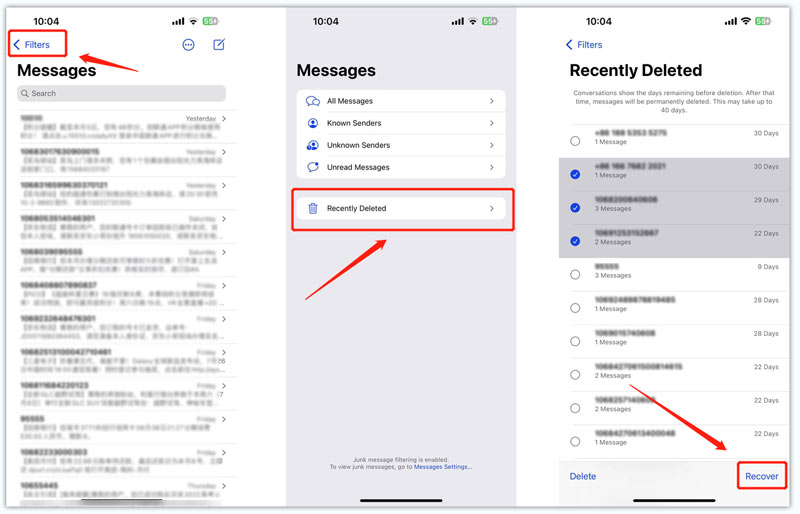
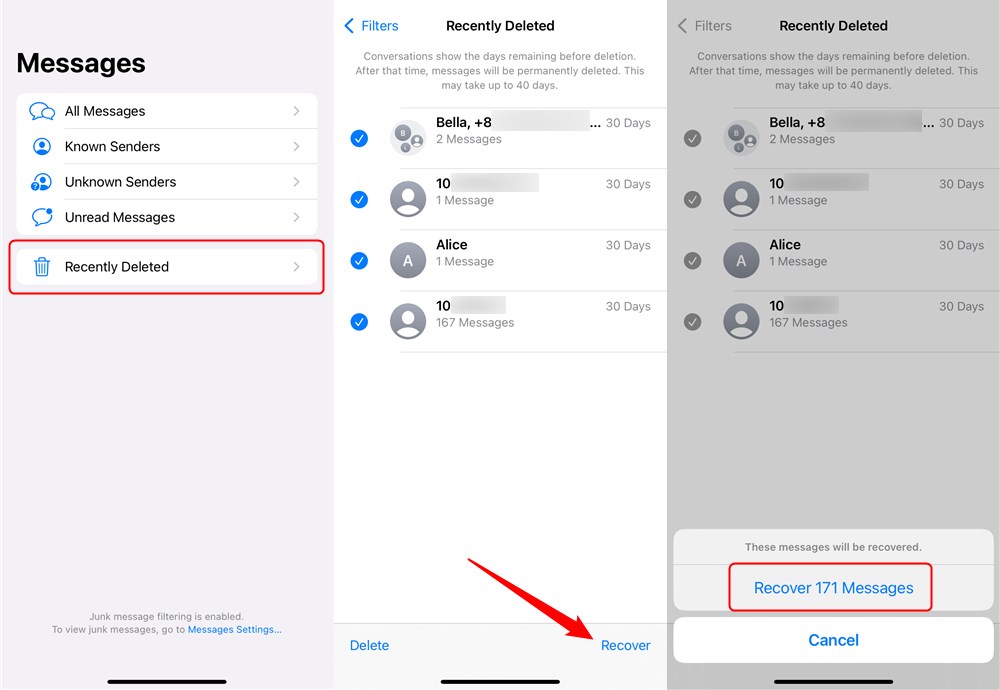
For iPhone users, recovering deleted text messages is relatively easier than for Android devices. In iOS 16 and later, Apple added a Recently Deleted folder inside the Messages app that holds conversations for up to 30 days before permanent removal. To recover deleted text messages on your iPhone, follow these steps:
- Launch the Messages app
- Go to the Recently Deleted folder
- Select the conversation you want to recover
- Tap "Undo" to restore the message
However, if you're still using iOS versions prior to 16, you'll need to restore from a backup or use a third-party recovery tool. If you've enabled iCloud backup, you can restore from a previous backup to retrieve deleted text messages.
Recovering Deleted Text Messages on Android
Android devices offer several ways to recover deleted text messages, but it's not as straightforward as on an iPhone. You can try checking the Trash or Recycle Bin folder in your messaging app, or restore from a Google Drive backup if you have it enabled. Some Android phones, like Samsung Galaxy models, have a feature called the "Archive" or "Trash" folder that holds deleted messages temporarily.
Third-Party Recovery Tools
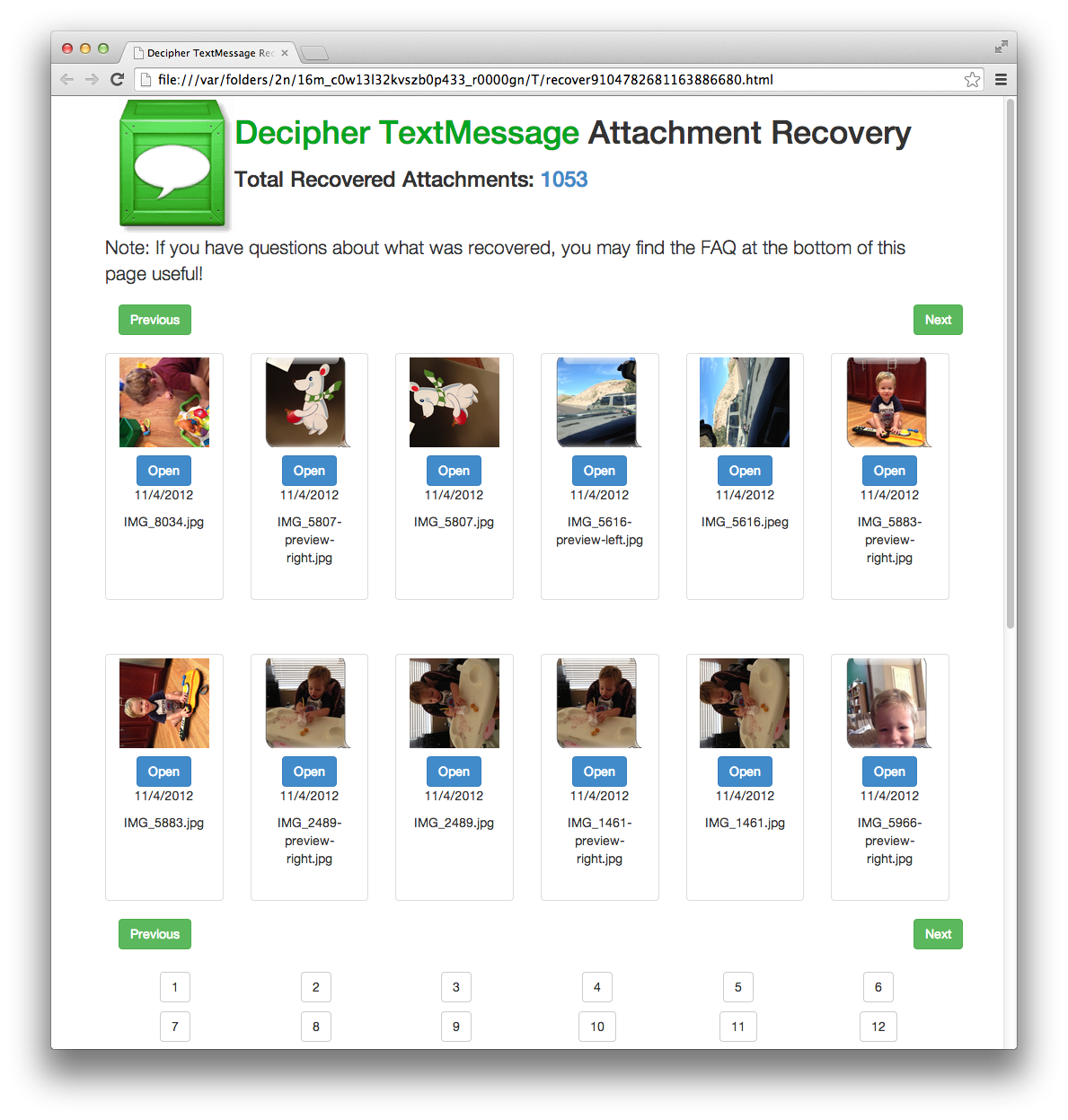
While the built-in methods might not work every time, third-party recovery tools can be effective in retrieving deleted text messages. These tools can scan your device's internal storage and restore SMS/MMS messages after they've been deleted. However, be cautious when using these tools, as some might require root access or may not work on all devices.
Can I Retrieve Deleted Text Messages Without a Backup?
If you don't have a backup, recovering deleted text messages can be a bit more challenging. However, there are some tools and methods that can help. You can try using a data recovery tool to scan your device's internal storage and restore deleted SMS/MMS messages. Keep in mind that the effectiveness of these tools depends on the device's storage type and the extent of the deletion.
Is it Possible to Recover Deleted WhatsApp Messages?
Yes, you can recover old WhatsApp messages if a backup was created before they were deleted. You can restore WhatsApp from a previous backup by uninstalling and reinstalling the app and selecting the "Restore" option when prompted during setup.
Conclusion
Recovering deleted text messages is possible, but it requires patience and the right tools. Whether you're using an iPhone or Android device, check the Recently Deleted folder or explore third-party recovery tools to retrieve your lost text messages. Remember to always enable backups to avoid losing important messages in the future.

![7 Ways to Recover Deleted Text Messages on iPhone [2026] - iMobie](https://a57.foxnews.com/static.foxnews.com/foxnews.com/content/uploads/2025/02/1200/675/6-how-to-restore-a-deleted-text-message-on-iphone-recoveriphonefilter.jpg?ve=1&tl=1 "7 Ways to Recover Deleted Text Messages on iPhone [2026] - iMobie")