Keeping Your Instagram Account Private: A Comprehensive Guide
As a social media platform, Instagram is a breeding ground for social interactions and connections. However, the constant scrutiny of the online world can be overwhelming, especially if you value your personal space. In this article, we'll delve into the world of keeping your Instagram account private, discussing the benefits, limitations, and practical steps to protect your online presence.
Benefits of Keeping Your Instagram Account Private
Keeping your Instagram account private offers numerous benefits, including:
- Enhanced personal security: By controlling who views your content, you reduce the risk of identity theft and online harassment.
- Protection from trolls and bots: Private accounts are less appealing to cyberbullies and automated bots, making it easier to focus on genuine connections.
- Increased sense of control: With private accounts, you dictate who can see your posts, stories, and reels, giving you a sense of agency over your online presence.
- Improved mental health: By limiting your exposure to online criticism and negativity, you can maintain a healthier mental well-being.
Limitations of Keeping Your Instagram Account Private
While keeping your Instagram account private is beneficial, it's essential to understand the limitations:
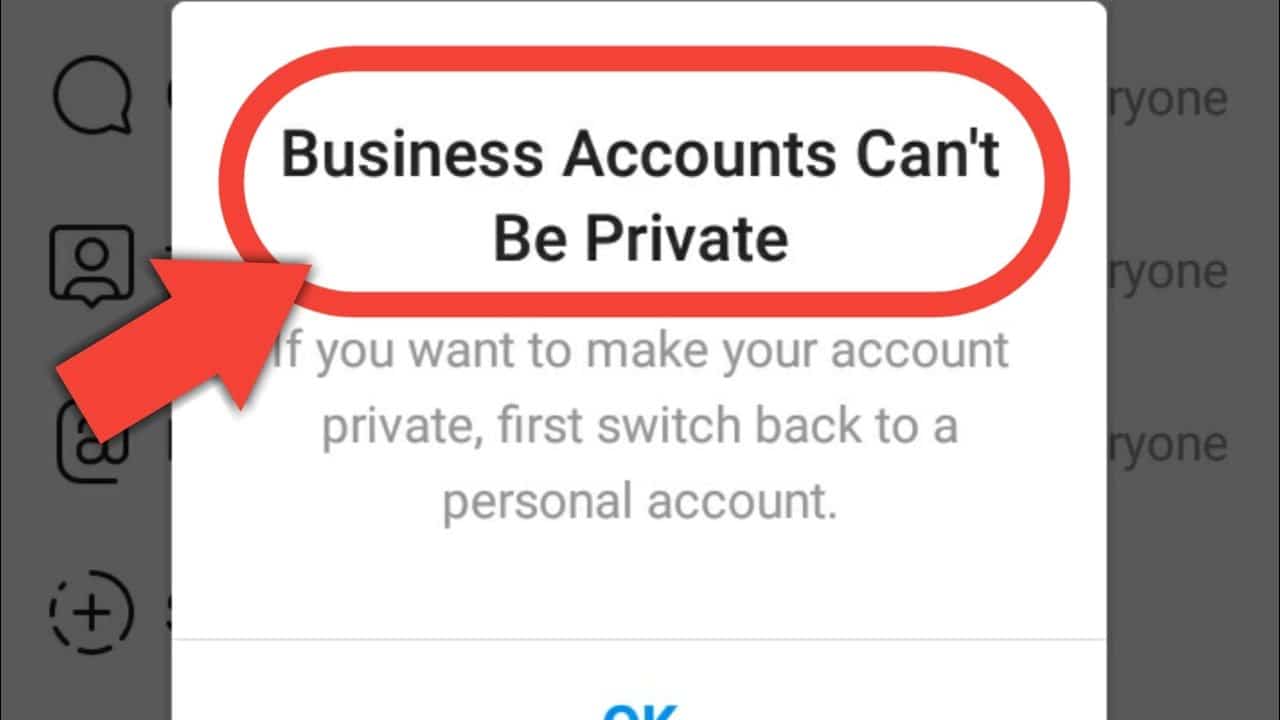
- Business profiles cannot be private: If you're using Instagram for professional purposes, you'll need to maintain a public profile to engage with your audience.
- Account verification issues: Private accounts may experience verification problems, making it more challenging to access features like Instagram Shopping or Instagram Live.
- Content discovery limitations: With a private account, your content may not be discoverable by others, limiting your reach and potential for growth.
How to Keep Your Instagram Account Private
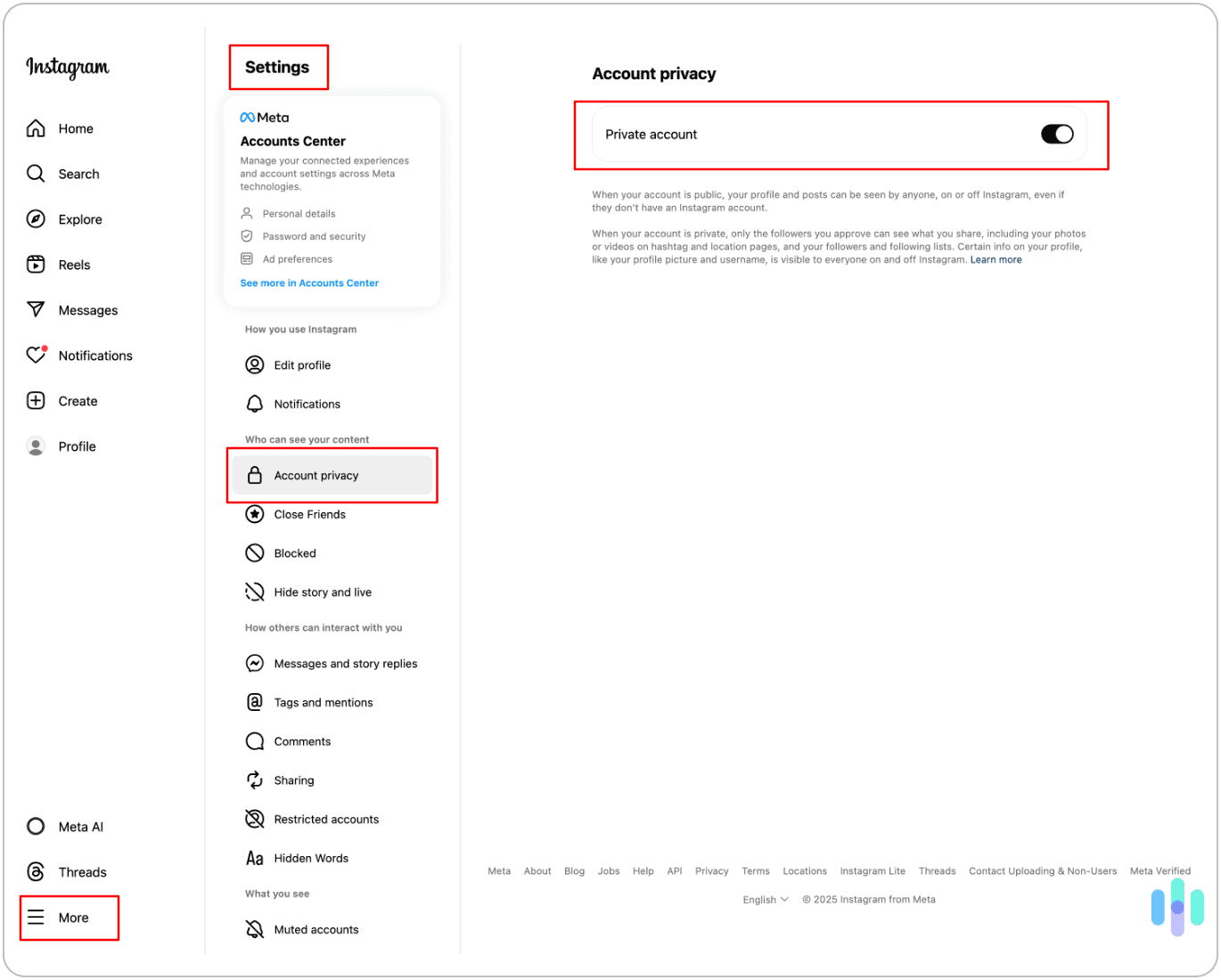
To keep your Instagram account private, follow these step-by-step instructions:
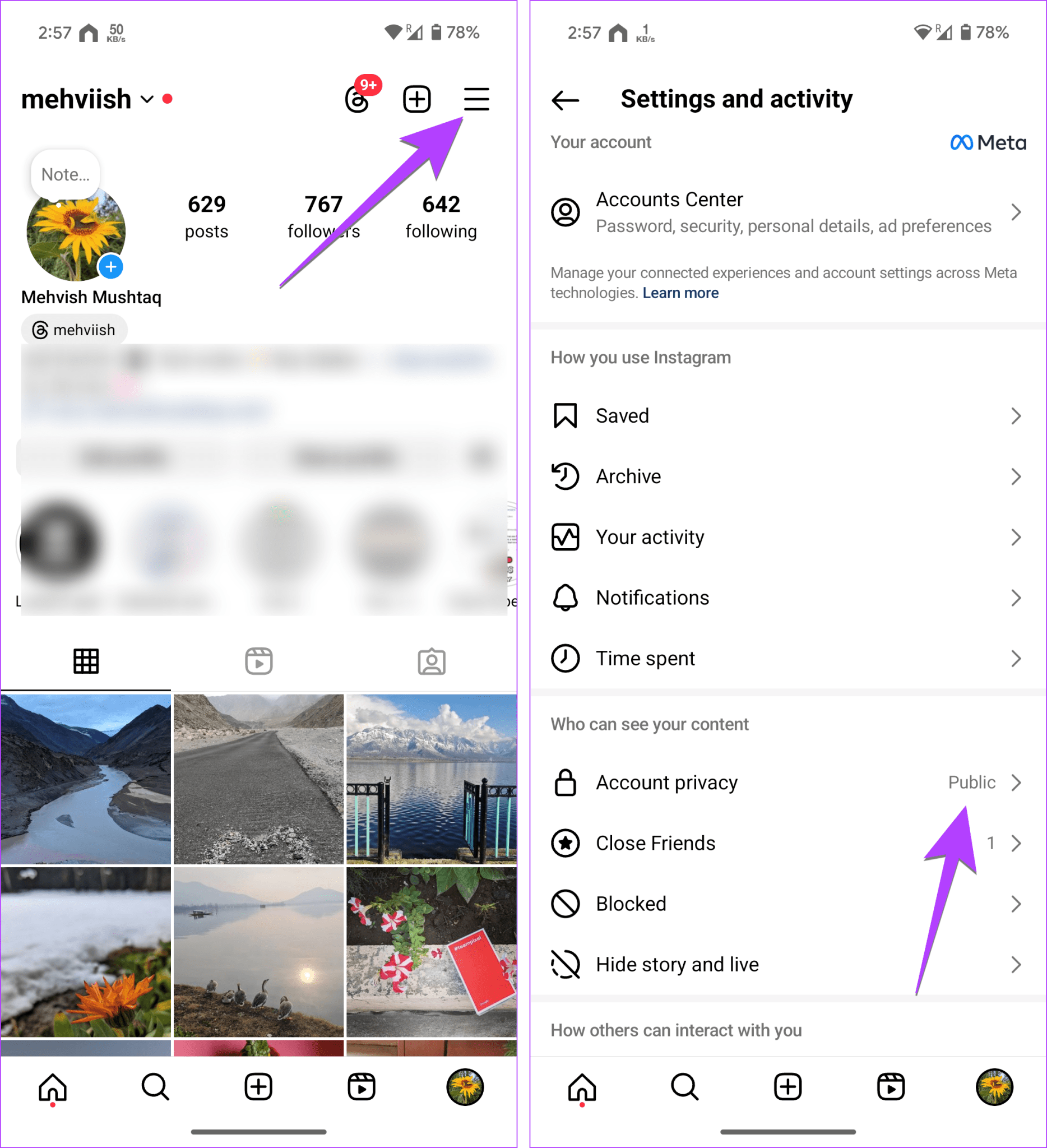
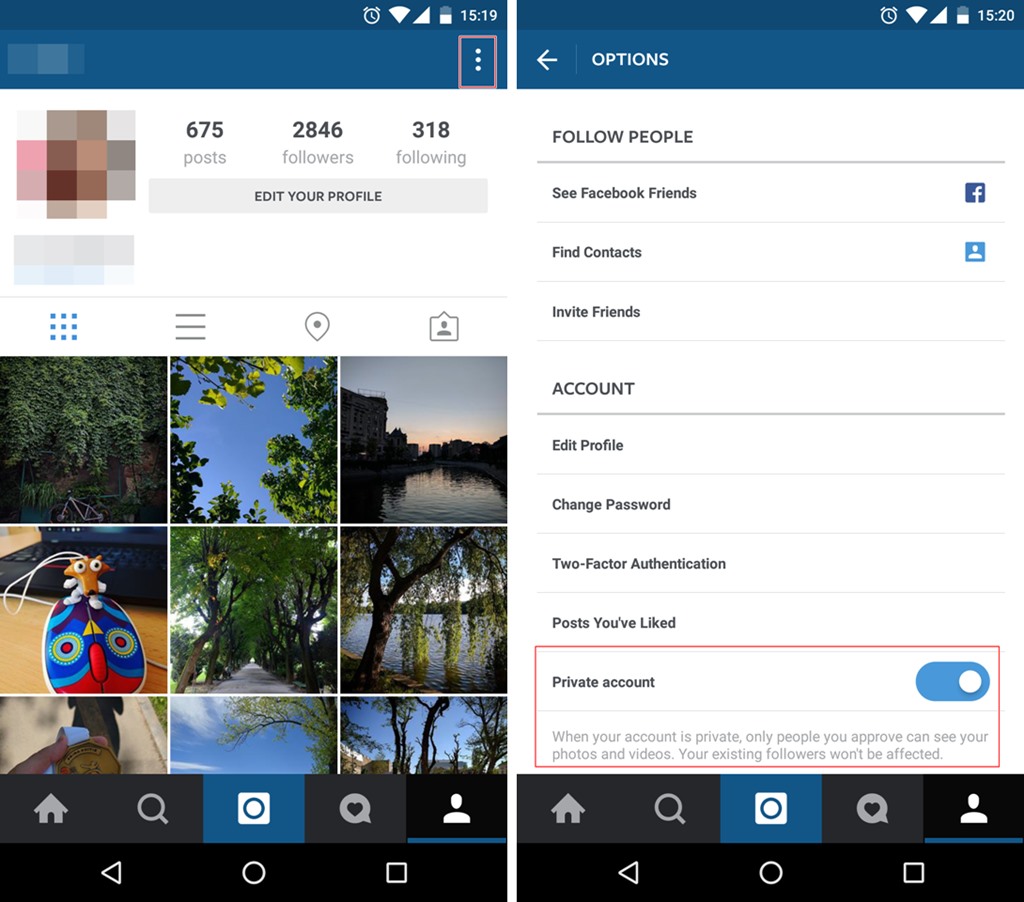
- Open Instagram and go to your profile page.
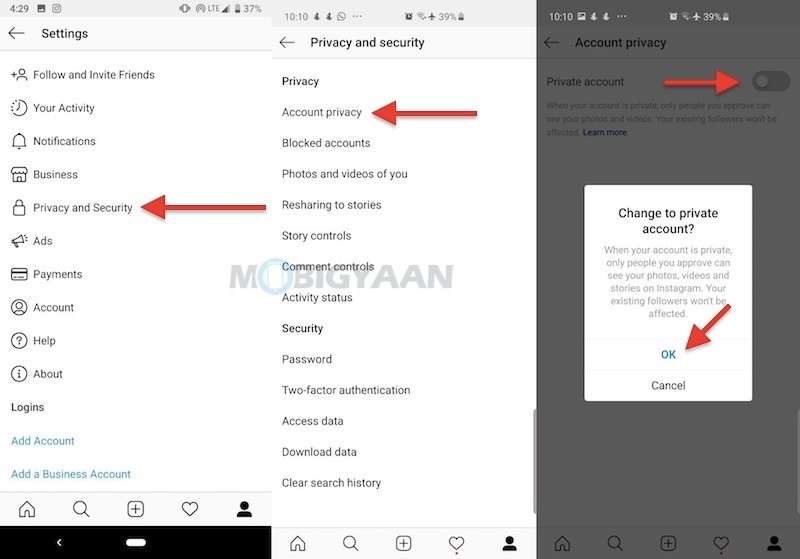
- Tap the three horizontal lines (menu) and select "Settings."
- In the "Settings" window, scroll down and tap "Account."
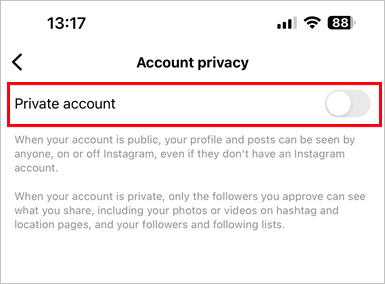
- Toggle the "Private Account" switch to the "On" position.
- Confirm that you want to make your account private by tapping "Turn On Private Account."
:max_bytes(150000):strip_icc()/002_3485850-5b9c4784c9e77c0050443382.jpg)
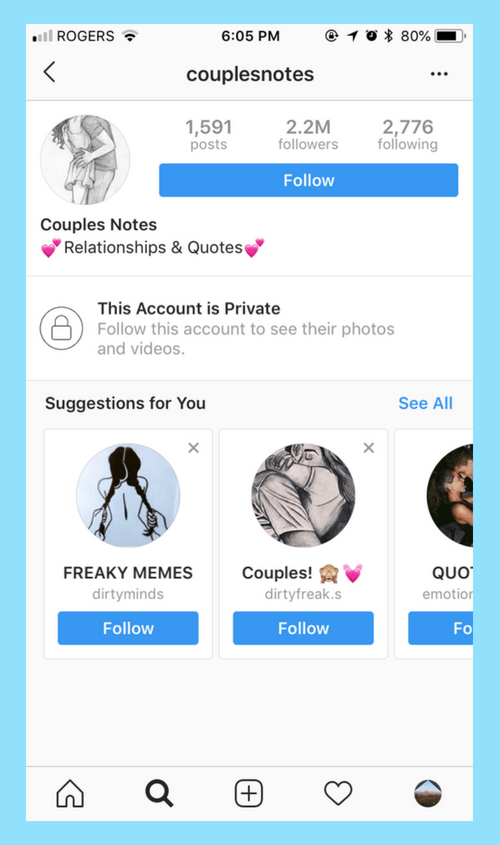
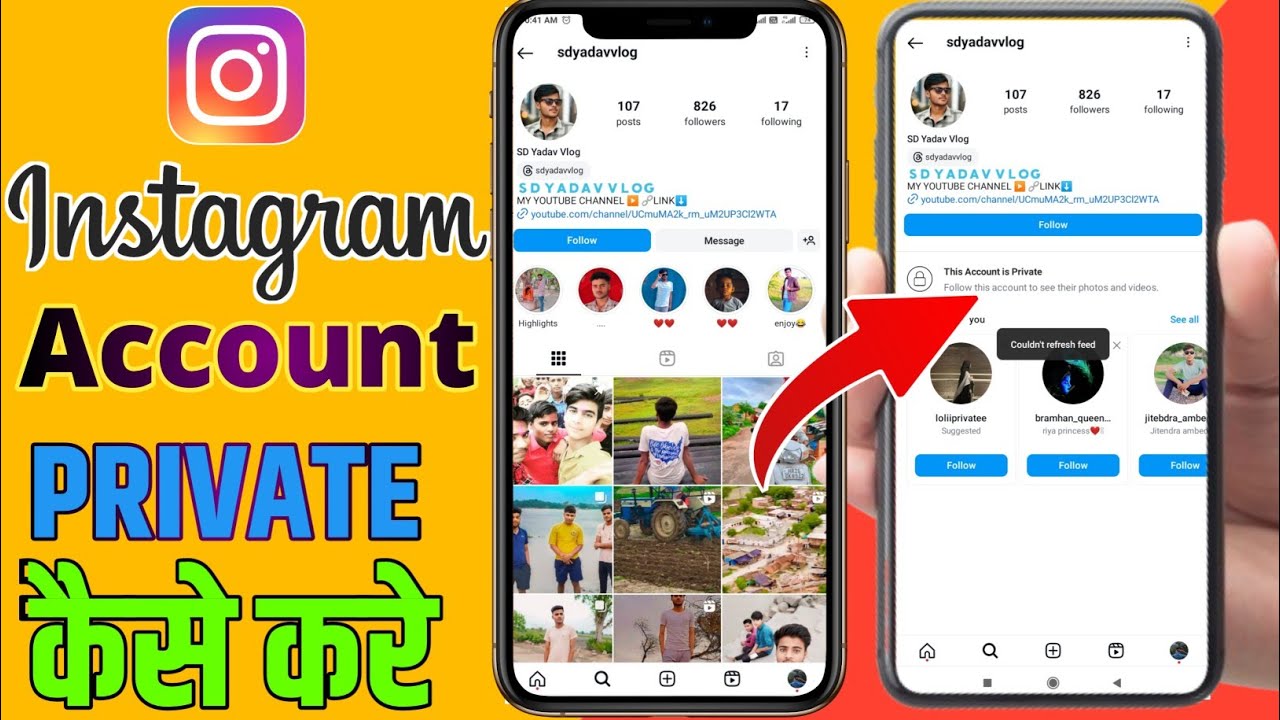
Once you've enabled the private account feature, only approved followers will be able to see your content. To add new followers, you'll need to manually approve each request.
Additional Tips for Private Instagram Accounts
To maximize the benefits of a private Instagram account, consider the following:
- Use strong, unique passwords for your account to prevent unauthorized access.
- Be cautious when accepting follower requests, as they may be from unknown individuals.
- Regularly review your account settings to ensure you're comfortable with the level of privacy you've chosen.
- Consider using Instagram's built-in features, such as the "Restrict" function, to limit interactions with unwanted followers.
Conclusion
Keeping your Instagram account private is a personal choice that offers numerous benefits, including enhanced personal security, protection from trolls and bots, and increased control over your online presence. While there are limitations to private accounts, the advantages make it a wise decision for those who value their online privacy. By following the steps outlined in this article, you can enjoy a more secure and private Instagram experience.
Additional Resources
If you're looking for additional tools and resources to help you maintain a private Instagram account, consider the following:
- Instagram's official guidelines on private accounts.
- Third-party apps and plugins that offer enhanced features and security for private Instagram accounts.
- Online resources and communities dedicated to social media security and online privacy.

![How to make Instagram private [2026] | Incogni](https://i.ytimg.com/vi/ldLrxBB85fI/maxresdefault.jpg "How to make Instagram private [2026] | Incogni")




/Instagram-Private-56a9ff813df78cf772abf850.png "Anonymous Instagram Viewer - View Stories, Highlights, Profiles")