Protect Your Instagram Account from Unauthorized Access: A Comprehensive Guide
With its ever-growing user base and exposure to cyber threats, protecting your Instagram account from unauthorized access has become a pressing concern. As a social media enthusiast, you value your online presence and the data it contains. Your Instagram account can be vulnerable to hacking, where malicious individuals can gain access to your personal information, account content, and other sensitive data. In this article, we'll guide you through tips and best practices to safeguard your Instagram account and prevent unauthorized access.
Why Protect Your Instagram Account from Unauthorized Access?
Instagram, a platform with over a billion active users worldwide, has become an integral part of our online presence. As such, its security is critical to maintain the confidentiality of our sensitive data. Hacking incidents can result in:
- Unauthorized access to your account and its contents.
- Personal data exposure, including photos, videos, messages, and contact lists.
- Financial loss, if hackers manage to access your financial accounts linked to your Instagram account.
- Damage to your online reputation and credibility.
Why Is Instagram Vulnerable to Hacking?
Instagram's popularity and vast user base make it an attractive target for cyber attackers. The platform's features, such as its vast user base, rich content, and one-click logins, can leave users vulnerable to unauthorized access. Hackers can exploit these vulnerabilities to trick users into revealing sensitive information or gain access to their accounts.
Methods Hackers Use to Gain Access to Accounts
Hackers employ various techniques to gain access to Instagram accounts:
- Phishing scams and social engineering, where hackers deceive users into revealing their login credentials or sensitive information.
- Weak passwords or compromised account credentials, allowing hackers to guess or brute-force their way into accounts.
- Unsecured or weak two-factor authentication (2FA) codes, which can be intercepted or guessed by hackers to access accounts.
Best Practices to Protect Your Instagram Account
Protect YOUR Instagram account from unauthorized access by following these best practices:
- 1. Use Strong and Unique Passwords
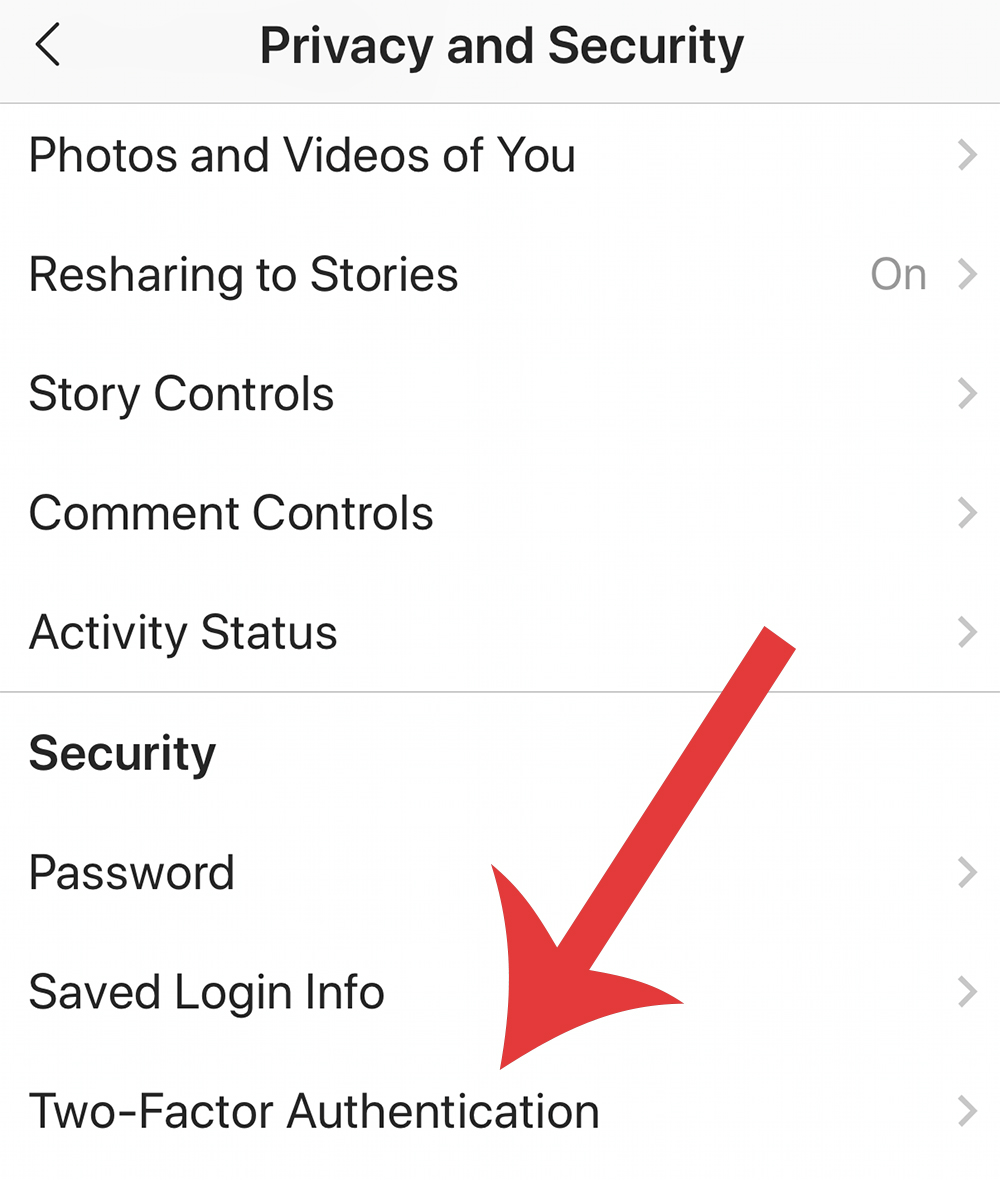
- 2. Enable Two-Factor Authentication (2FA)
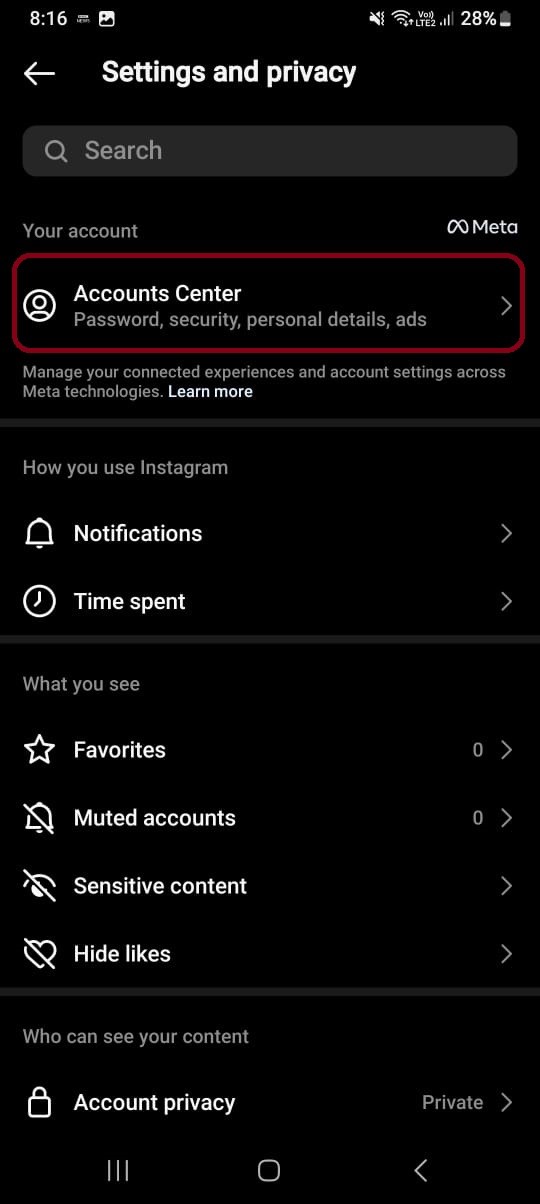
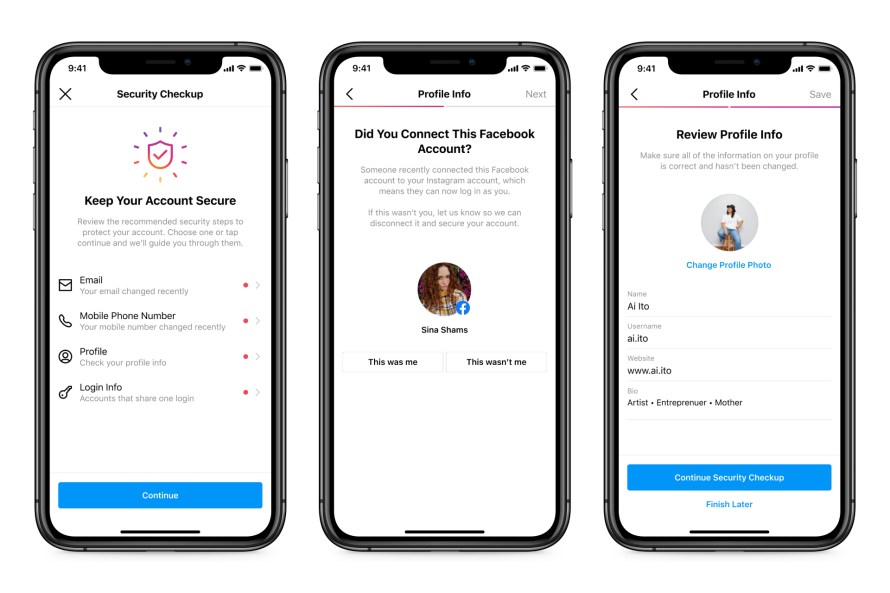
- 3. Monitor Your Account's Login Activity
- 4. Be Careful with Public Wi-Fi Networks
- 5. Keep Your Instagram App and Phone OS Up-to-Date
- 6. Avoid Clicking on Suspicious Links or Phishing Emails
Develop a password management strategy to create unique, strong, and complex passwords for each account. Consider using a password manager to store your login credentials securely.
2FA adds an extra layer of security to your account by requiring a code sent to your phone or email each time you log in. This makes it more difficult for hackers to access your account even if they have your password.
Regularly check your account's login activity to detect any unusual or suspicious behavior. If you notice any unauthorized access, report it to Instagram immediately.
Public Wi-Fi networks may be unsecured or untrusted, and hackers can intercept your login credentials or data by snooping on the network.
Regular updates to your app and OS ensure you have the latest security patches and features, which can help prevent hacking attempts.
Be cautious of suspicious emails or links, especially if they ask for sensitive information or prompt you to click on suspicious links.
What to Do If Your Account Has Been Hacked
Act quickly if you suspect that your account has been hacked:
- 1. Change Your Password and Email
- 2. Report the Hack to Instagram
- 3. Remove Unauthorized Apps and Accounts
Update your login credentials and account email to prevent hackers from accessing them.
Reach out to Instagram's support team and report the incident to help them prevent the hacker from accessing your account.
Review your associated accounts and revoke access from any suspicious or unused apps or third-party services.
Keep Your Instagram Account Secure
By implementing these best practices, you can significantly reduce the risk of your Instagram account being compromised by hackers. Regularly stay updated with security features and updates, and be vigilant to maintain a secure online presence. Stay informed about the importance of cybersecurity and the various techniques hackers use to access accounts. Always monitor your account's login activity, and take swift action if you suspect any unauthorized access.




%20Protection%20Dashboard.webp "Account Security and Unrecognized Charges or Orders")