Protect Your Router from Unauthorized Access: A Comprehensive Guide
With the increasing importance of having a secure home network, protecting your router from unauthorized access has become a top priority for every internet user. Hackers often target routers to gain access to personal information, devices, and networks, which is why securing your router is essential for a safe and efficient online environment.
Understanding the Importance of Router Security
Securing your router is crucial to protect your network from unauthorized users. Hackers often try to access unprotected routers to steal personal information or cause network disruptions. Router firewalls help prevent unauthorized incoming connections from accessing your home network, making it essential to keep them enabled and up-to-date.
5 Simple Steps to Protect Your Router
- Change Default Login Credentials: The default username and password often make it easy for hackers to access your network. Change your login credentials to strengthen your router's security.
- Update Router Firmware: Keeping your firmware current helps protect your router from known exploits that unauthorized users may attempt to exploit.
- Set Up a Strong Password: Create a password that is long, random, and unique to prevent unauthorized access.
- Disable Remote Access: Many routers offer remote access features, but unless you need admin-level access from outside your home, it's best to disable it to prevent unauthorized access.
- Regularly Check for Updates: Routine updates will protect you against known vulnerabilities, keeping your router and network secure.
Enhance Network Security: Advanced Tips

While the above steps are essential, there are additional tips to enhance your router's security and protect your network from unauthorized access:
- Use WPA3 Encryption: Upgrade to WPA3 encryption to strengthen your Wi-Fi security.
- Set Up VPN on Your Router: Installing a VPN on your router will encrypt your internet traffic and protect your data from hackers and snoopers.
- Regularly Check for Malware: Run malware scans regularly to detect and remove any malware that may be lurking on your devices.
- Secure All Devices on Your Network: Keep all devices on your network updated and secure to prevent unauthorized access.
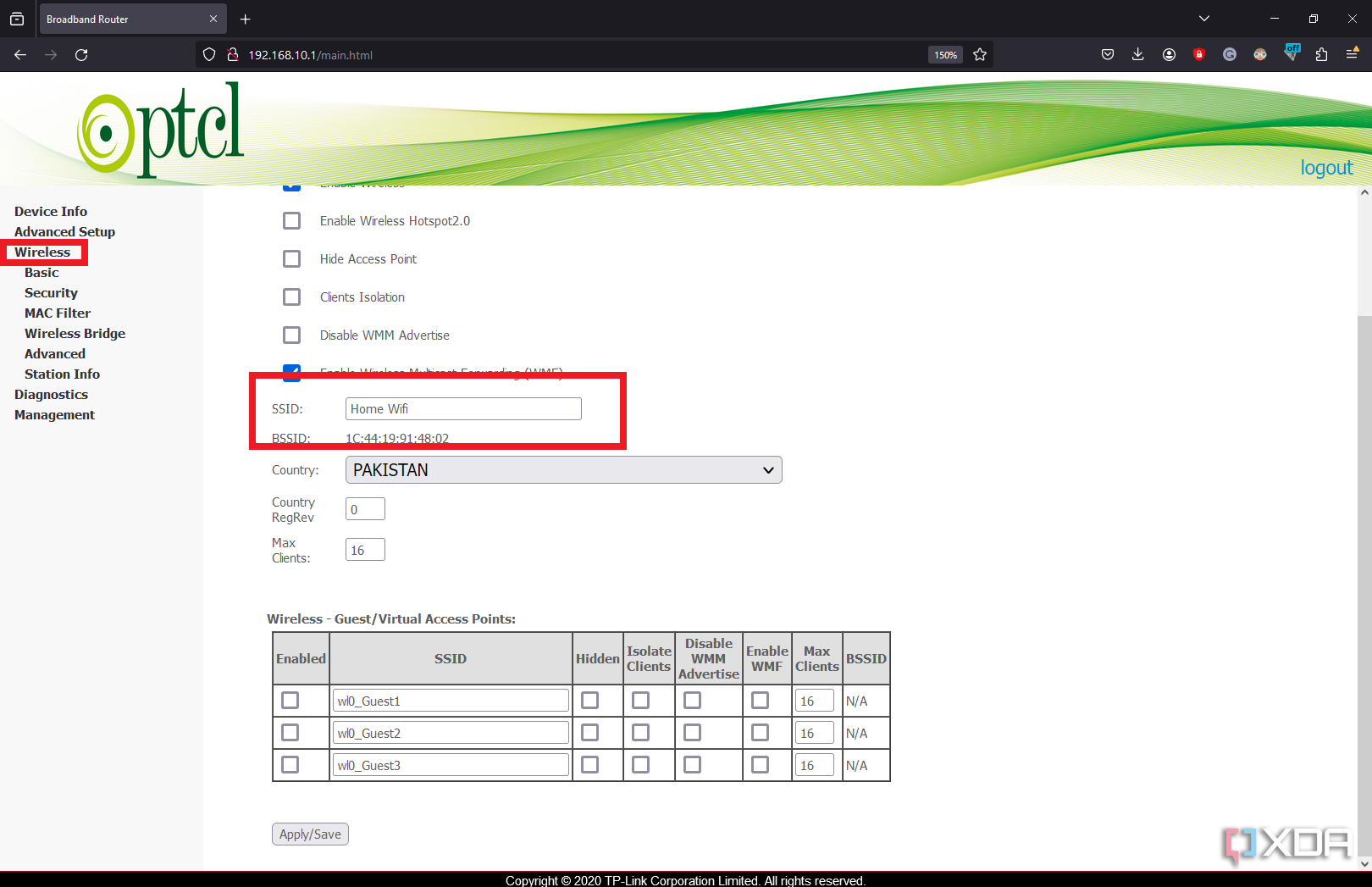
- Change Default SSID: Changing your default SSID (network name) will make it harder for hackers to guess your router model.
Protect Your Network from Unauthorized Access
Securing your router and network takes time and effort, but it's essential to maintain a safe and efficient online environment. By implementing these steps and advanced tips, you can protect your network from unauthorized access, safeguard your data, and enjoy a reliable internet connection.
Conclusion
It's no secret that hackers and cybercriminals are always on the lookout for vulnerabilities in home networks and routers. Protecting your router from unauthorized access is a crucial step in maintaining online security, preventing identity theft, and keeping your personal data safe from prying eyes. By following the steps outlined in this guide, you can significantly enhance your router's security and protect your digital fortress.