Protecting Your Data from Phishing Attacks: A Comprehensive Guide
Phishing attacks are a constant threat to individuals and organizations, with scammers using email or text messages to trick people into revealing sensitive personal information or installing malware on their devices. These attacks are often successful, and with thousands of phishing attacks launched every day, it's essential to be aware of the signs and take measures to protect yourself.
What is a Phishing Attack?
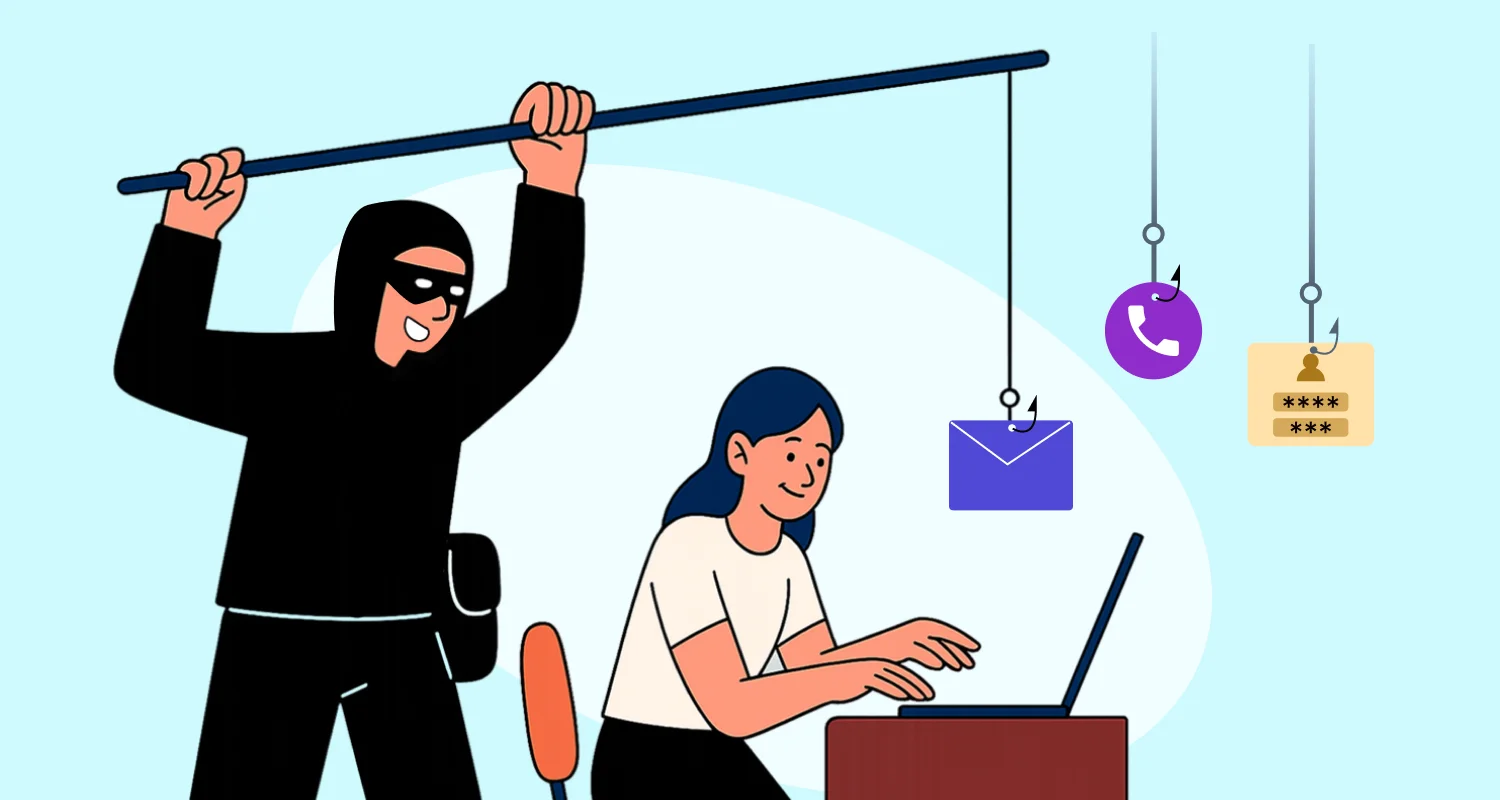
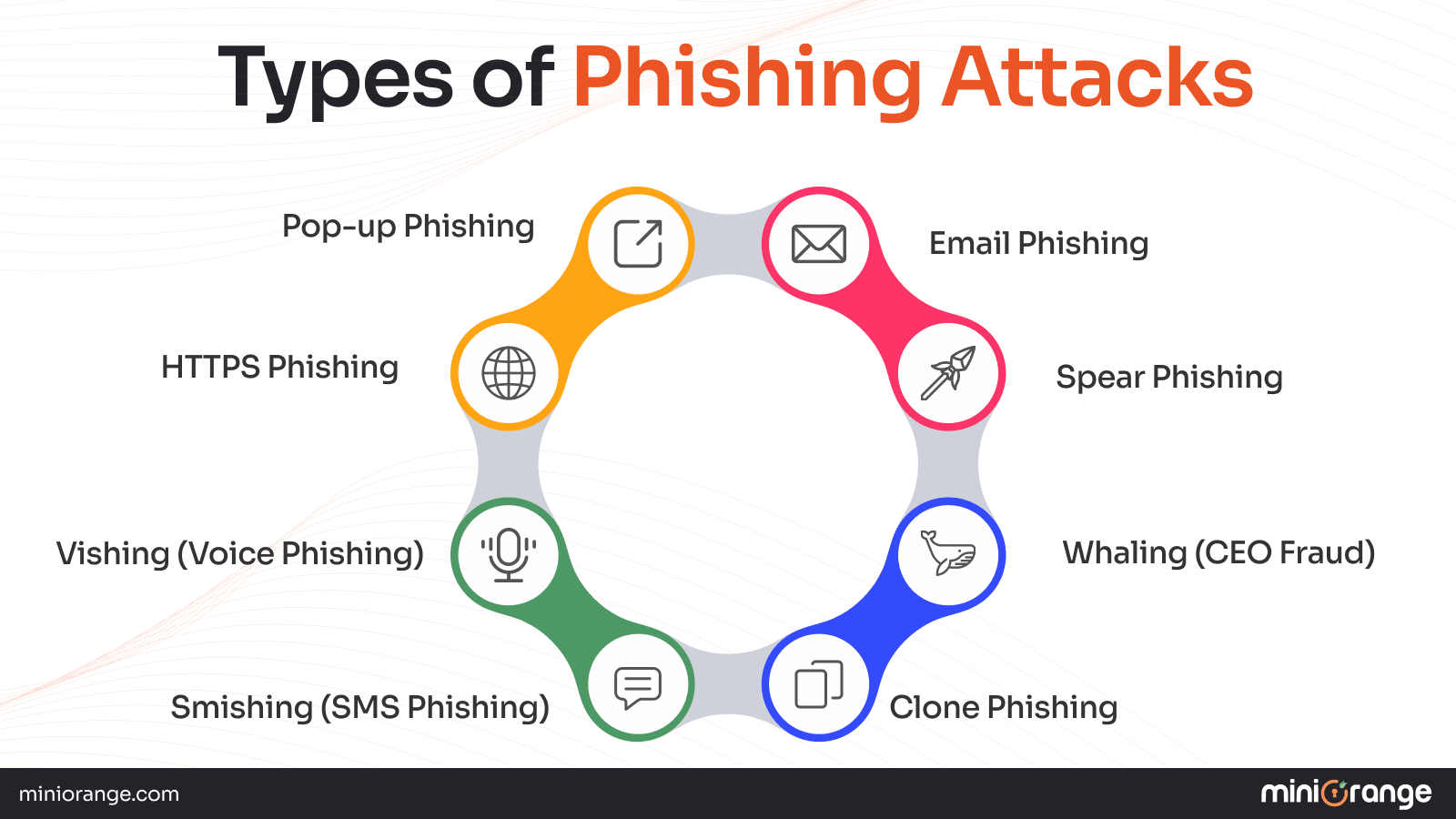
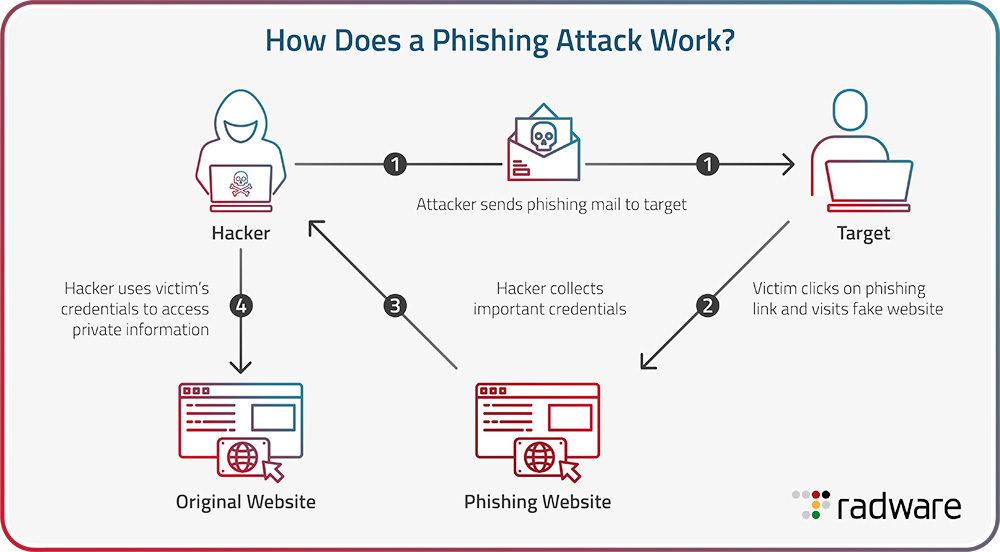
A phishing attack is a type of cybercrime that aims to trick people into giving away sensitive personal information or unknowingly installing malware on their devices. Phishing attacks can take many forms, including emails, text messages, or even phone calls, and may seem legitimate but are designed to deceive and steal information.
Recognizing the Signs of a Phishing Attack
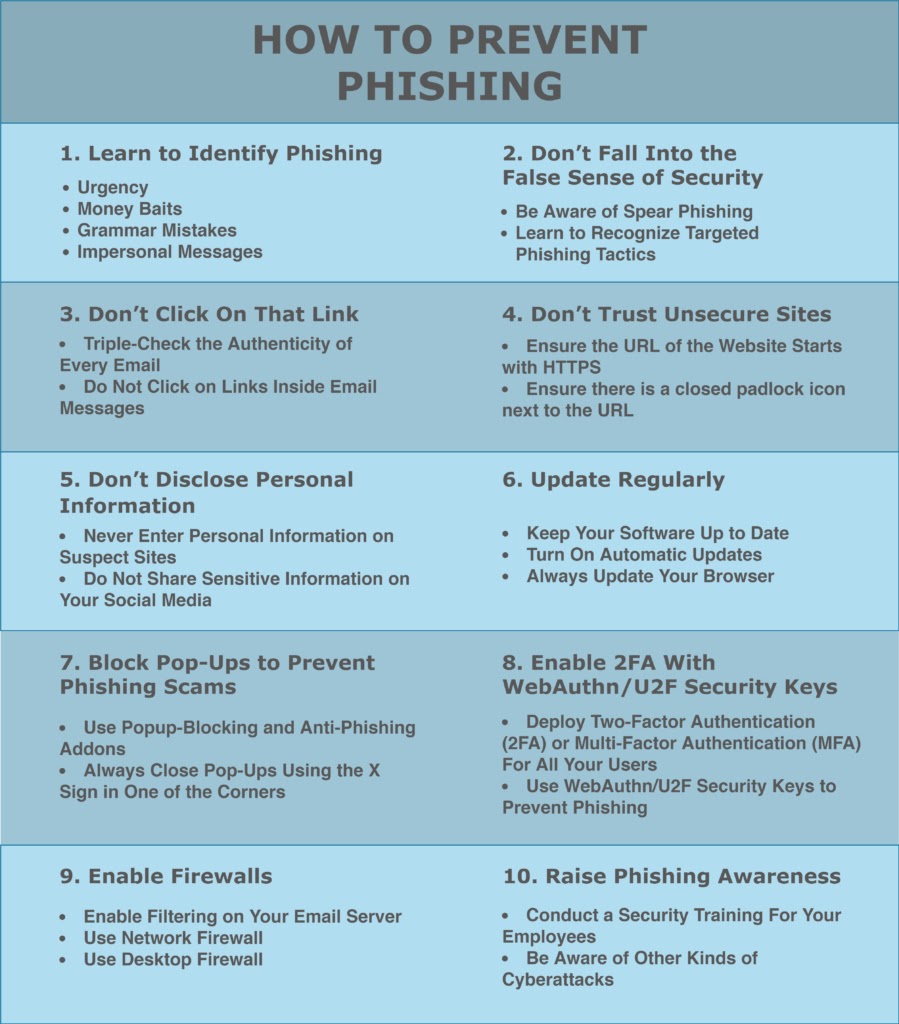
- Urgent or threatening language: Be wary of emails or messages that try to create a sense of urgency or threaten consequences if you don't take action.
- Spelling and grammar mistakes: Legitimate organizations usually proofread their emails and messages. If you notice spelling or grammar mistakes, it may be a phishing attack.
- Suspicious links or attachments: Avoid clicking on links or opening attachments from unknown senders, as they may contain malware or lead to phishing websites.
- Missing or generic greetings: Legitimate emails usually address you by your name. If an email or message is generic or doesn't address you by name, it may be a phishing attempt.
- Asking for sensitive information: Be cautious if you're asked to provide sensitive information, such as passwords, credit card numbers, or social security numbers, especially if it's through a seemingly legitimate email or message.
How to Protect Yourself from Phishing Attacks
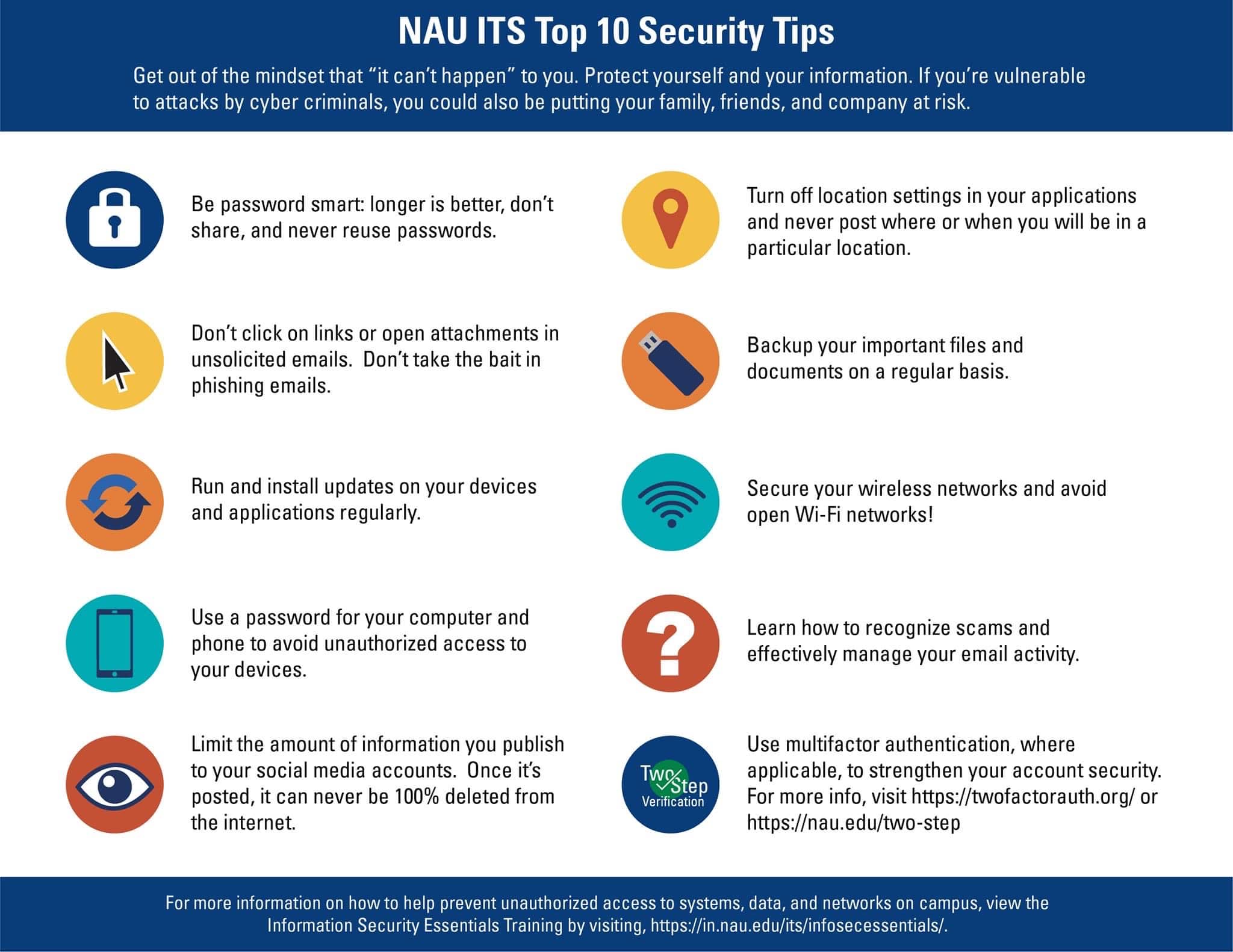
To protect yourself from phishing attacks, follow these essential strategies:
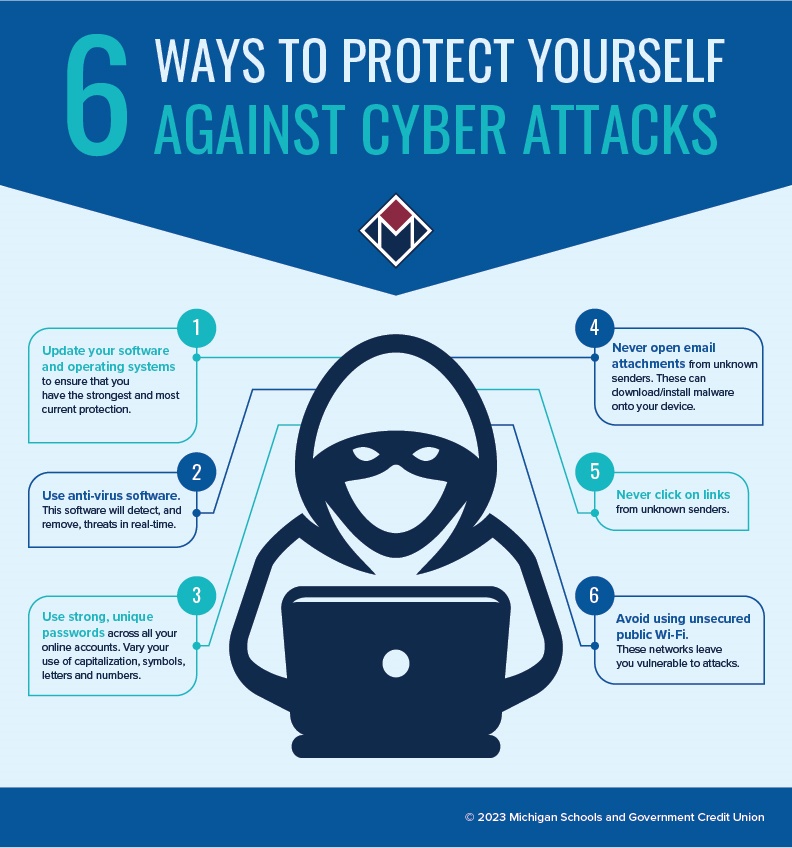
- Be cautious with emails and messages: Verify the sender's identity and check for spelling or grammar mistakes before taking any action.
- Use strong passwords: Choose complex passwords and avoid using the same password for multiple accounts.
- Enable two-factor authentication (2FA): Add an extra layer of security to your accounts by enabling 2FA.
- Keep software up-to-date: Regularly update your operating system, browser, and other software to ensure you have the latest security patches.
- Use antivirus software: Install reputable antivirus software to scan your devices for malware and other threats.
- Monitor your accounts: Regularly check your account activity and report any suspicious transactions or behavior.
- Back up your data: Regularly back up your important files to prevent data loss in case of a phishing attack or other security incident.
Best Practices for Protecting Your Organization from Phishing Attacks
As an organization, it's essential to take measures to protect your employees and customers from phishing attacks. Here are some best practices:
- Implement employee training: Educate your employees on identifying phishing attacks and how to report suspicious emails or messages.
- Use email filtering: Use email filtering tools to block suspicious emails and messages before they reach your employees' inboxes.
- Monitor employee accounts: Regularly monitor employee account activity and report any suspicious transactions or behavior.
- Use security software: Install reputable security software to scan your organization's devices for malware and other threats.
- Conduct regular security audits: Perform regular security audits to identify vulnerabilities and address them before they can be exploited by phishing attackers.
Conclusion
Phishing attacks are a persistent threat to individuals and organizations. By being aware of the signs and taking measures to protect yourself and your organization, you can reduce the risk of falling victim to a phishing attack. Remember to be cautious with emails and messages, use strong passwords, enable 2FA, keep software up-to-date, and monitor your accounts regularly. By following these best practices, you can protect your data from phishing attacks and stay safe online.